

AI Assistants is available on request. Juiced enables it for your account, so if you don’t see AI Assistants in your settings, contact your Juiced representative.
Requirements
- Enabled for your account by Juiced.
- A verified custom domain. The assistant connects through your own domain, so your plan must include custom domains. Until you have one, the page shows “A custom domain is required” with a Set up a custom domain button.
- The Admin or Customer Support role. Sales and Data Validation users can’t connect an assistant.
The AI Assistants page
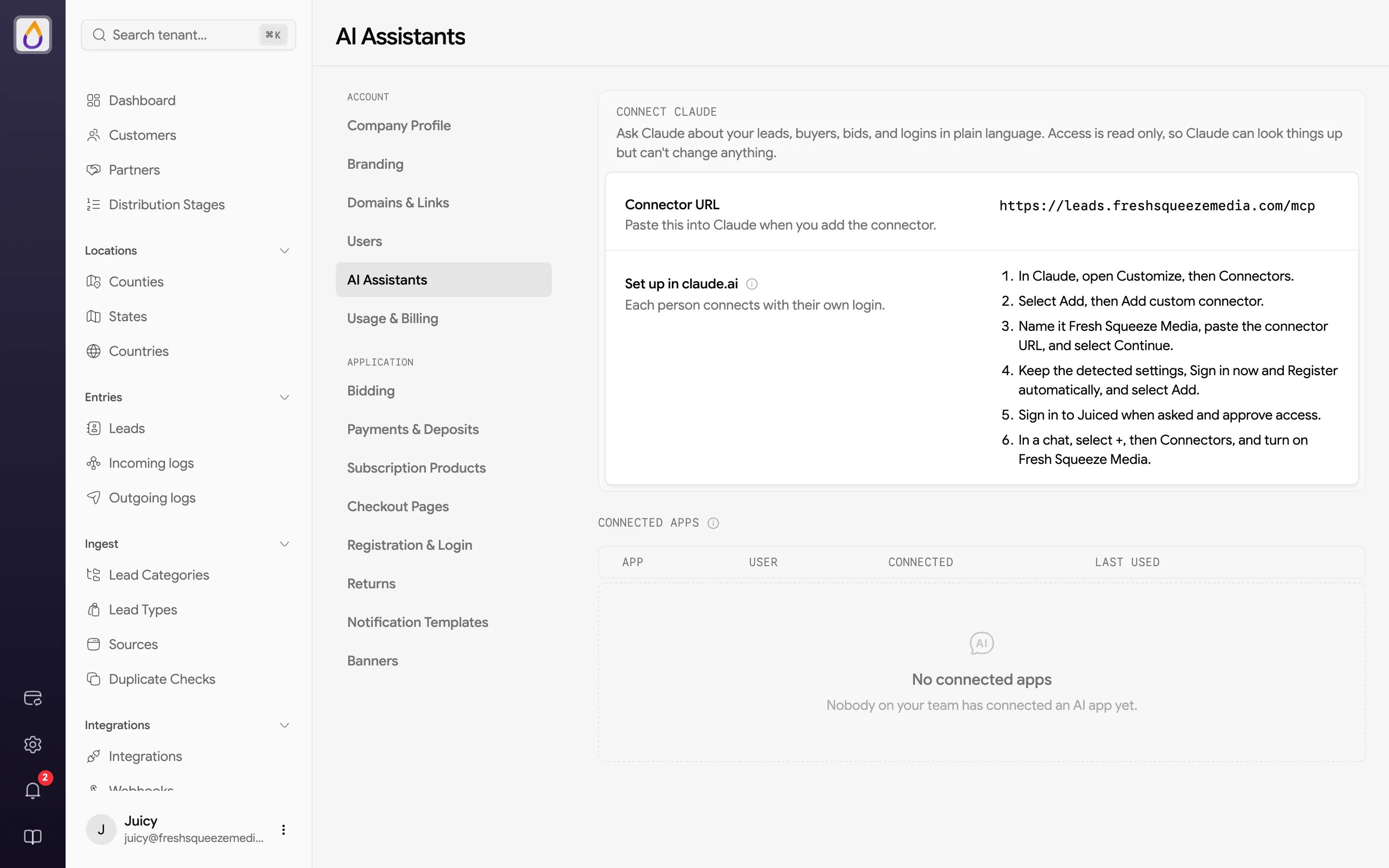
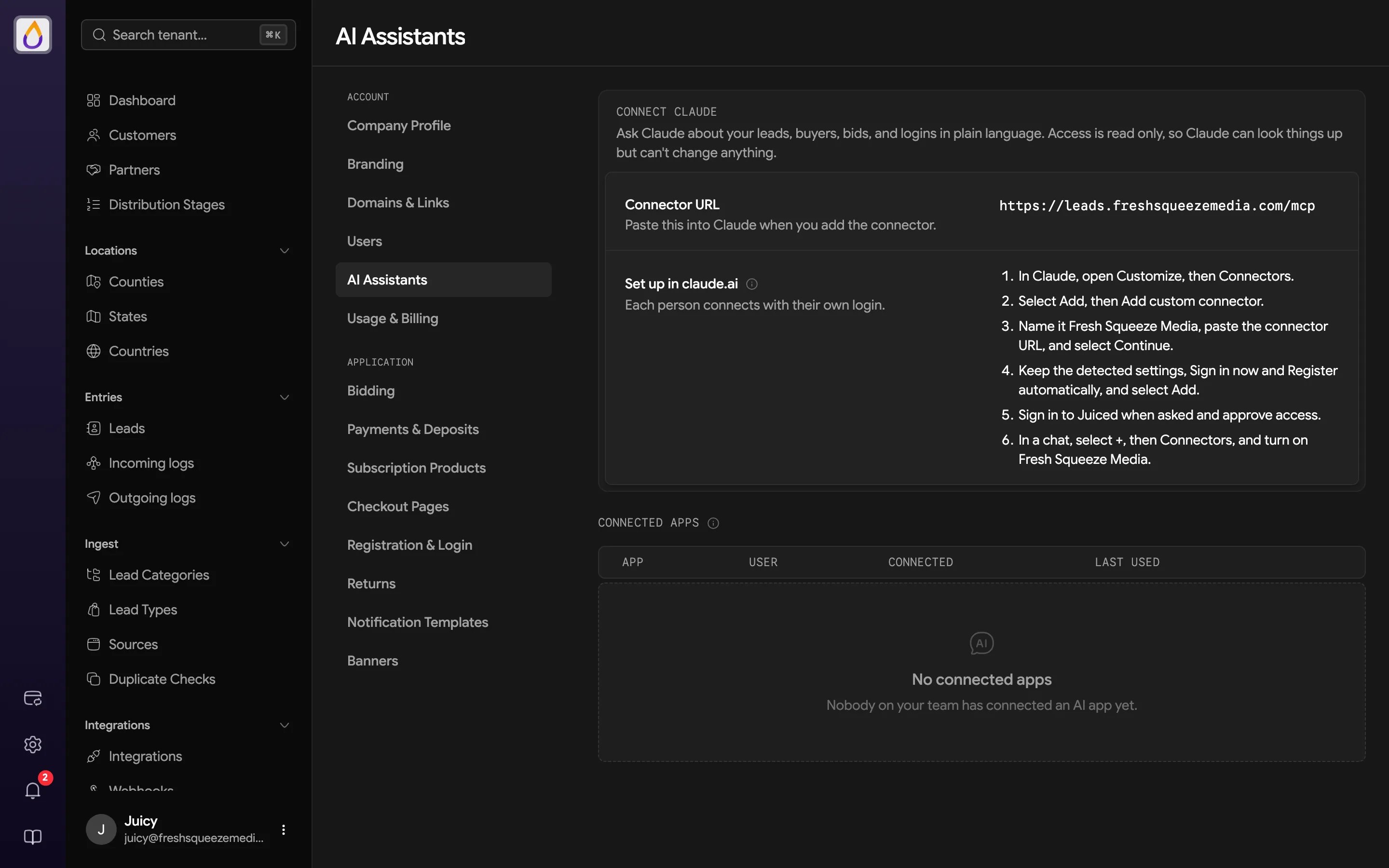
Click the gear in the rail and choose AI Assistants under Account.- Connector URL is your custom domain followed by
/mcp, for examplehttps://leads.yourcompany.com/mcp. Paste it into Claude when you add the connector. - Set up in claude.ai gives step-by-step instructions for adding the connector. Each person connects with their own login. On a Claude Team or Enterprise plan, an owner adds the connector once from Organization settings, and everyone else connects to it.
- Connected apps lists the AI apps that have been connected, with when each was Connected and Last used. Admins see everyone’s connections (with a User column), and everyone else sees only their own.
Approving a connection
When someone connects, Juiced asks them to sign in on your custom domain and shows an approval page titled Connect an AI assistant to your company. It shows the name the app gave itself and where access will be sent, and confirms that access is read-only and never includes lead contact details. They choose Approve or Deny.What you can ask
The assistant’s read-only tools can explain each of these.- Why a lead was distributed the way it was
- Why a particular buyer didn’t receive a lead
- A bid’s status and position
- Why someone can’t sign in
- Whether your custom domain and its DNS records are set up correctly
Limits and boundaries
- Your account only. The assistant can’t look up another Juiced account’s records.
- Custom domain only. It works only from your verified custom domain, not your Juiced subdomain.
- Read-only. It can’t pause a buyer, move a lead, edit a bid, or change any settings. Make changes in the panel yourself.
- Usage limits. Each question draws from an hourly allowance per person and for your whole account, and heavier lookups use more of it. Asking the exact same question again within a minute returns the earlier answer without using any allowance (so if you just changed something, wait a minute before checking again). Very large answers are shortened, and slow lookups time out with a prompt to narrow the question.
- Removing access. Removing a user from your tenant also disconnects their AI apps.