

Before you start
To offer a Club subscription, you need three things in place.- A fully onboarded connected Stripe account.
- A subscription product with at least one offered tier that grants Club access.
- The Club switched on (see below).
Turn the Club on
Open Settings → Application → Subscription Products and scroll to the Club card. Your Club is named after your subscription product, so if the product is “Fresh Squeeze Club”, that’s what customers see.Changing the Club URL breaks bookmarks and previously shared links, but the default
/club address always keeps working.Add leads to Club
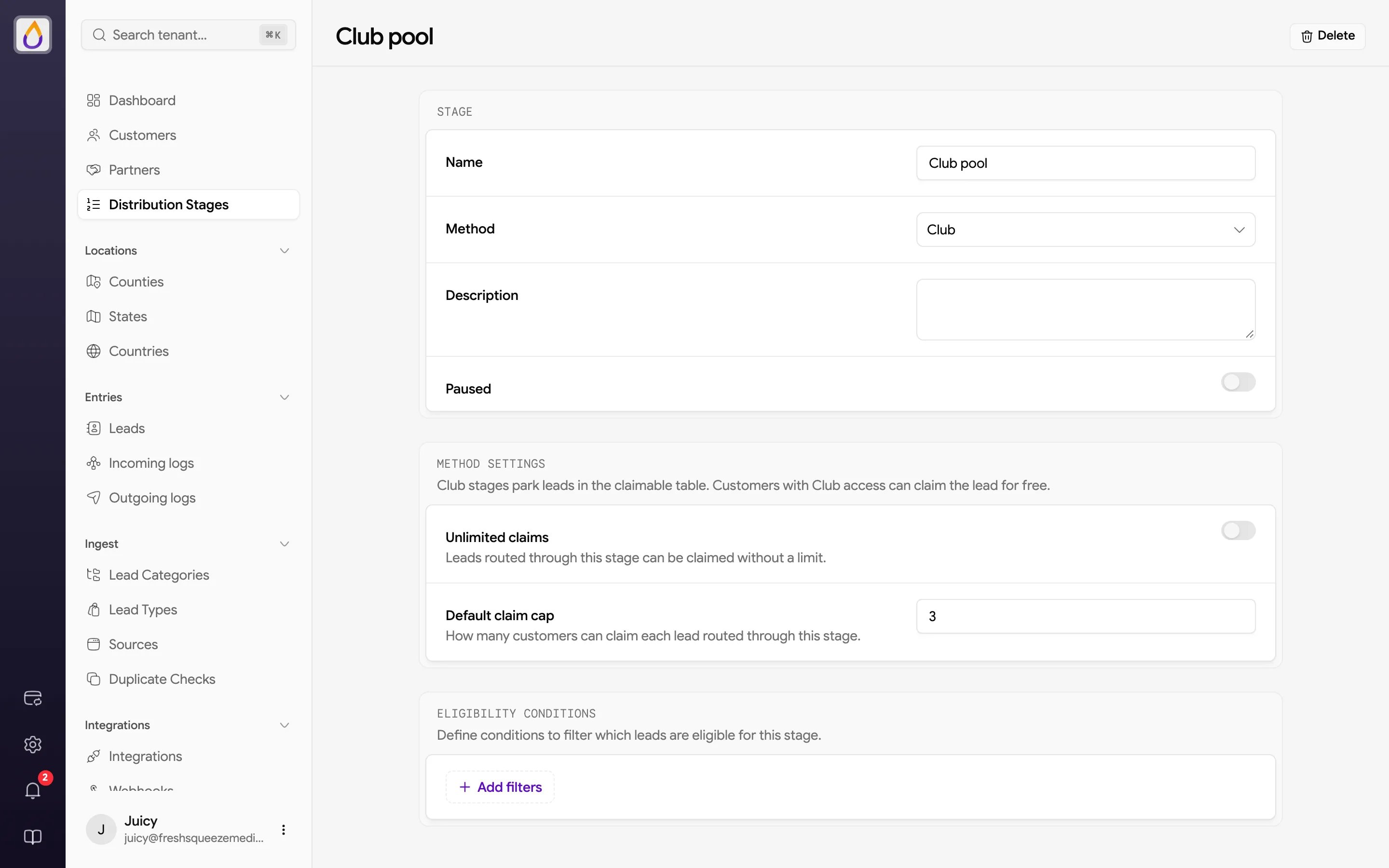
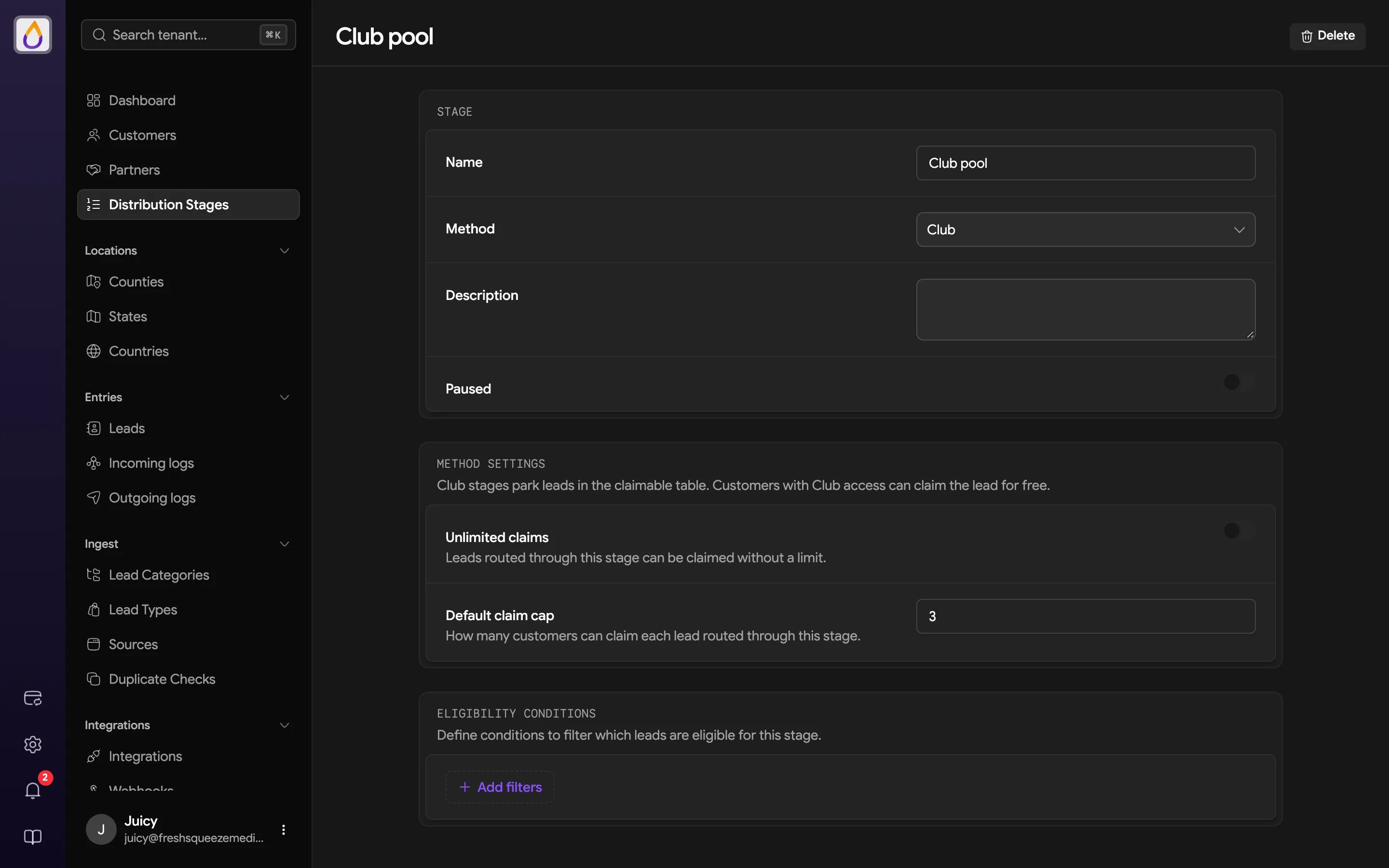
You can place leads into Club in two ways.- Add a stage with the Club method to your distribution plan. Under Method settings, either turn on Unlimited claims or set a Default claim cap, which is how many customers can claim each lead routed through that stage.
- Use the tenant bulk-upload flow to place leads directly into Club and set the claim cap for that upload.
What happens when a customer claims a lead
When an eligible customer claims a Club lead, a few things happen.- The claim does not deduct from the customer’s wallet.
- The lead is delivered to the customer’s normal lead list.
- Juiced uses the usual CRM, webhook, and workflow delivery path.
- The available claim count decreases when a cap is set.
- The source lead disappears from that customer’s Club table, so they cannot claim it twice.
Claim limits
There are two separate limits, and both apply.- Per lead is the claim cap on the lead itself (from the Club stage or the upload), which limits how many customers can claim that lead.
- Per customer is the Claim limit on the customer’s subscription tier, which limits how many Club leads they can claim each billing period. Customers with Manual Club Access get an unlimited personal allowance instead, even if they also have a tier.
Customer access and subscriptions
Customers with access can browse available Club leads and claim them. Customers without access see the Club pitch and a subscription option when your tenant offers one. Subscriptions are billed monthly to the customer’s saved card through your connected Stripe account. A customer retains Club access through the current paid period after canceling. If a payment fails, access can remain during a short grace period before it is revoked. Grant manual access with the Manual Club Access toggle when you edit a customer. An active subscription grants access automatically, independent of this toggle. When you open a customer, the Club panel on their Overview shows their membership details.- Access, which is Manual, Subscription, Manual + subscription, or No access
- Their Tier, Price, any Discount, and Billing status
- When the subscription Renews or Ends, and any scheduled Tier change
- Claims this period, e.g. “4 used · 6 of 10 left”
Related pages
Subscription products
Set up the tiers that unlock the Club.
Distribution
Learn how Club fits into a lead-routing flow.
Club in the customer portal
Share the buyer-facing guide with your customers.