

Connecting Stripe
Customers pay you through Stripe Connect. Stripe is optional. If you don’t collect payments from customers (for example, you bill them outside Juiced, or you only work with partners), you can skip it. Without a connected Stripe account, the page shows a notice that reads “Stripe isn’t connected, so customers can’t add cards, deposit funds, or set up auto recharge.” You can still adjust wallet balances by hand from each customer’s record. Admins see a Connect Stripe button in the notice, which takes you through Stripe’s onboarding.Transaction Fee Percentage
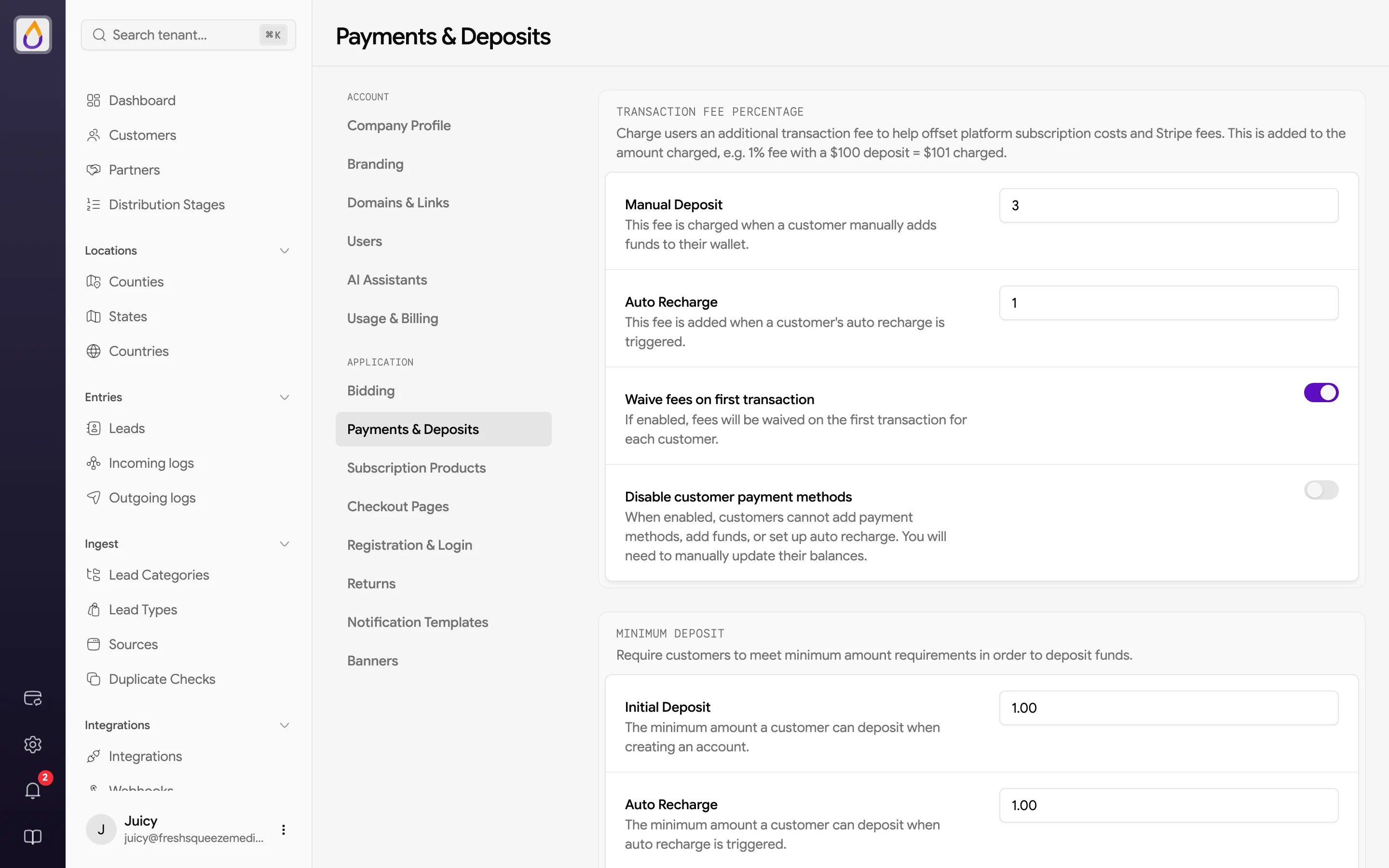
You can add a percentage fee on top of customer deposits to help offset your platform subscription and Stripe fees. The fee is added to the amount charged, so a 1% fee on a $100 deposit charges the customer $101, and $100 lands in their wallet.
Set them independently, so you could charge a fee on manual deposits but waive it for auto recharges (or vice versa).
Two switches round out the section.
- Waive fees on first transaction skips the fee on each customer’s first transaction, which takes the sting out of funding a new account.
- Disable customer payment methods stops customers from adding payment methods, adding funds, or setting up auto recharge. Use this if you handle billing outside Juiced; you’ll need to update their balances by hand.
Minimum Deposit
Require customers to deposit at least a minimum amount, so every deposit is worth the processing cost. Each minimum must be at least $1.
Save your changes with the floating save bar at the bottom of the page.
Related guides
Managing customer finances
Fund customer wallets manually and configure the auto-recharge flow.