

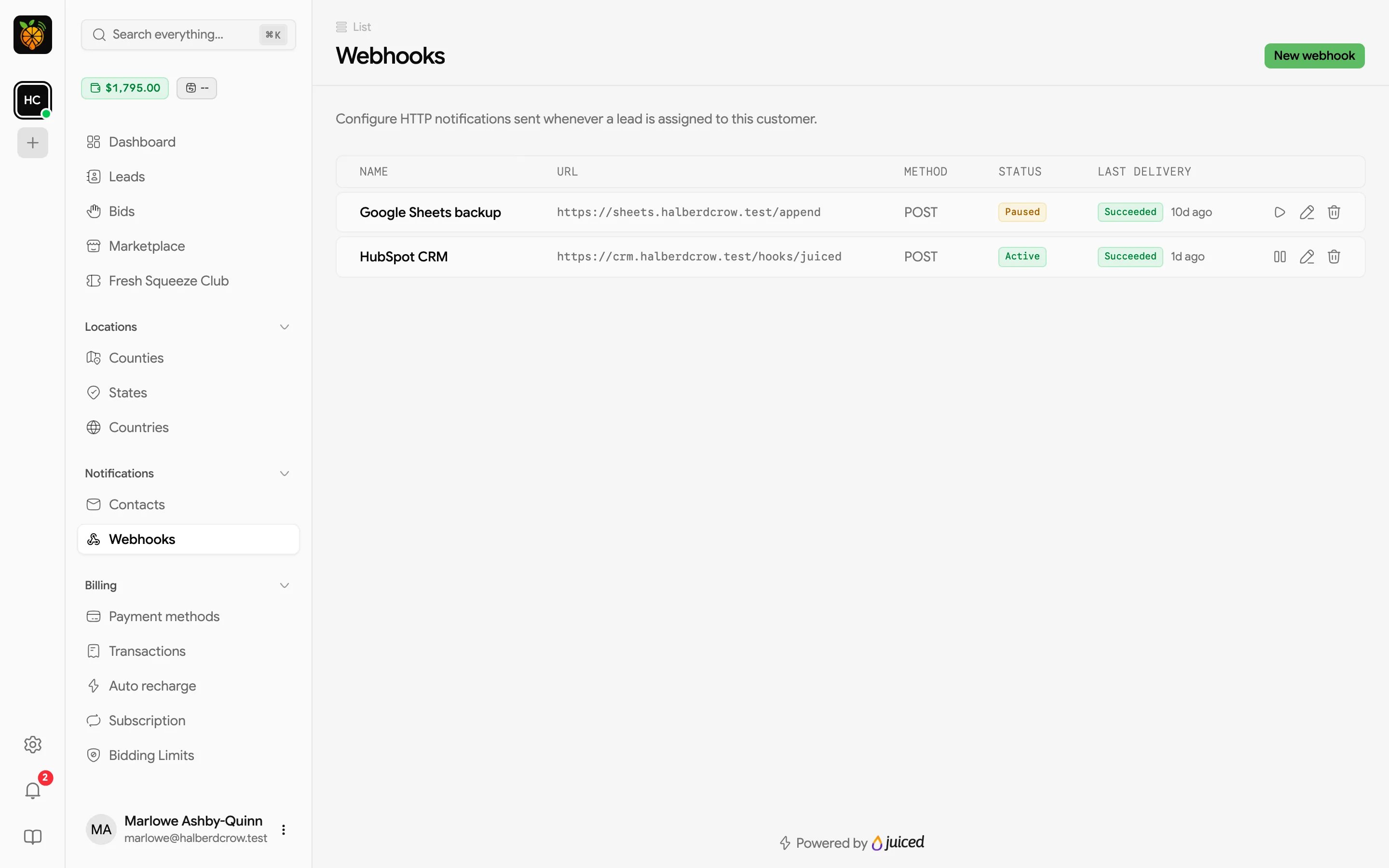
Creating a webhook
Click New webhook.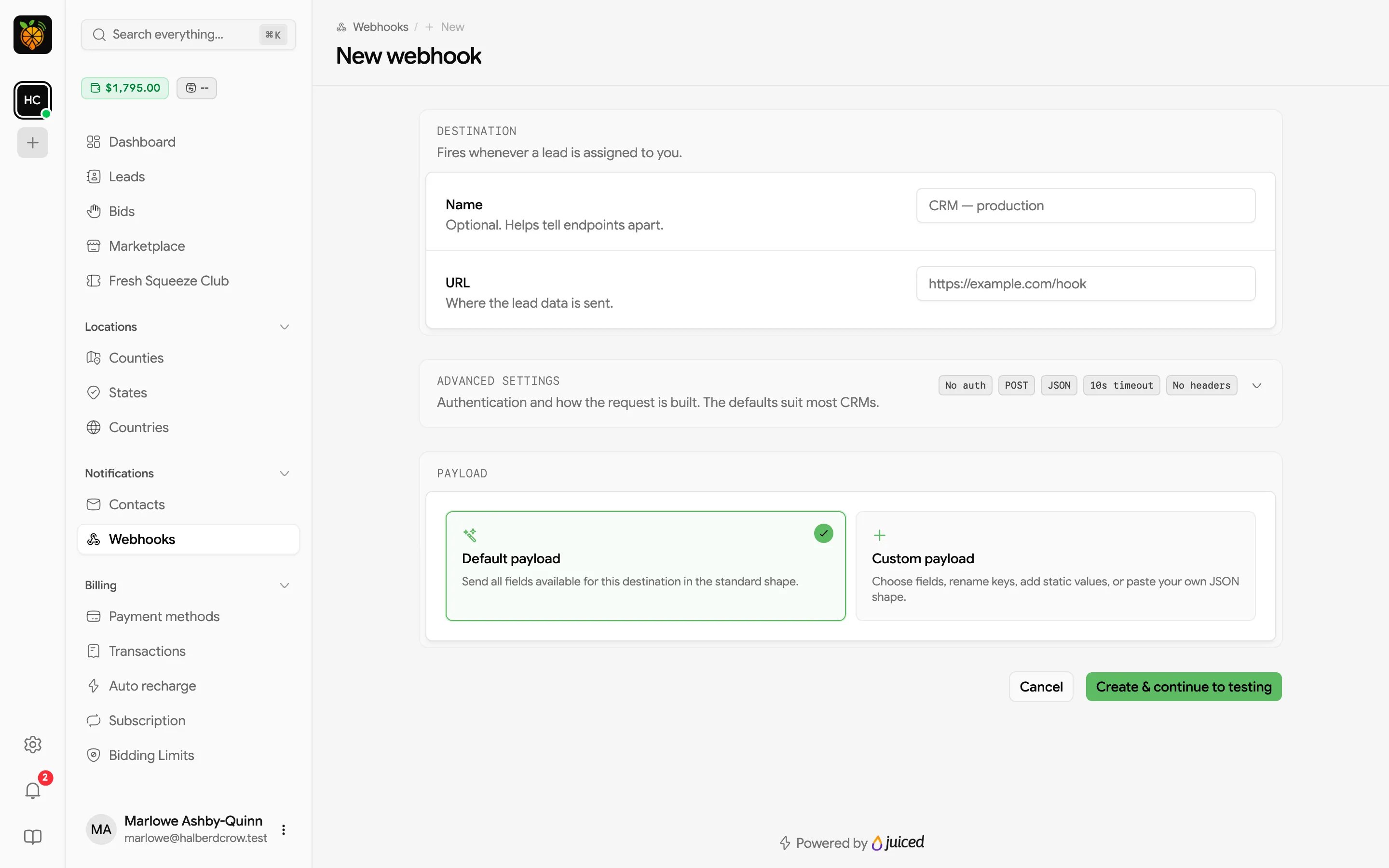
Destination
- Name (optional) helps you tell webhooks apart, for example “CRM production”.
- URL is where the lead data is sent.
Advanced settings
The defaults (no authentication, POST, JSON, 10-second timeout, no extra headers) suit most CRMs. Expand Advanced settings if your endpoint needs something different.
Saved passwords and tokens stay hidden. To change one, type a new value.
Payload
Choose what the request contains.- Default payload sends every field available for your leads in a standard shape. It’s the quickest way to get started.
- Custom payload lets you choose fields, rename keys, and add fixed values, so the data matches what your system expects. Use Paste JSON to start from an example of the shape your system wants, or Load default mapping to start from the default and edit it.
charged_amount), the scope you won it at, when you received it (received_on), the lead_type, and all the lead’s deliverable fields, such as name, email, phone, and address. Fields your provider adds later are included automatically.
Click Create & continue to testing. Your webhook is saved and switched on straight away, and you land on its edit page to send a test.
Testing a webhook
Open a webhook’s edit page (Edit webhook) and scroll to Testing.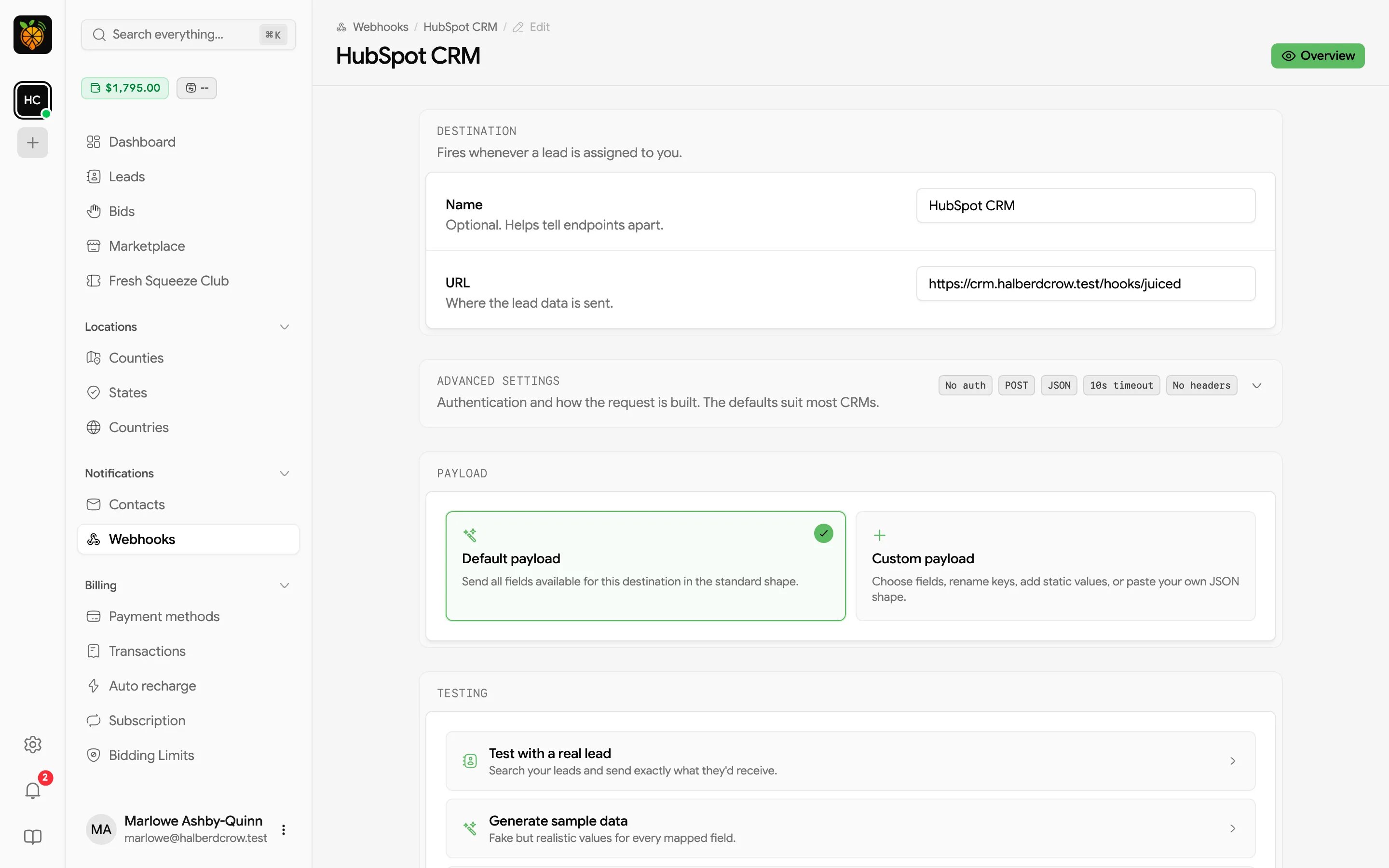
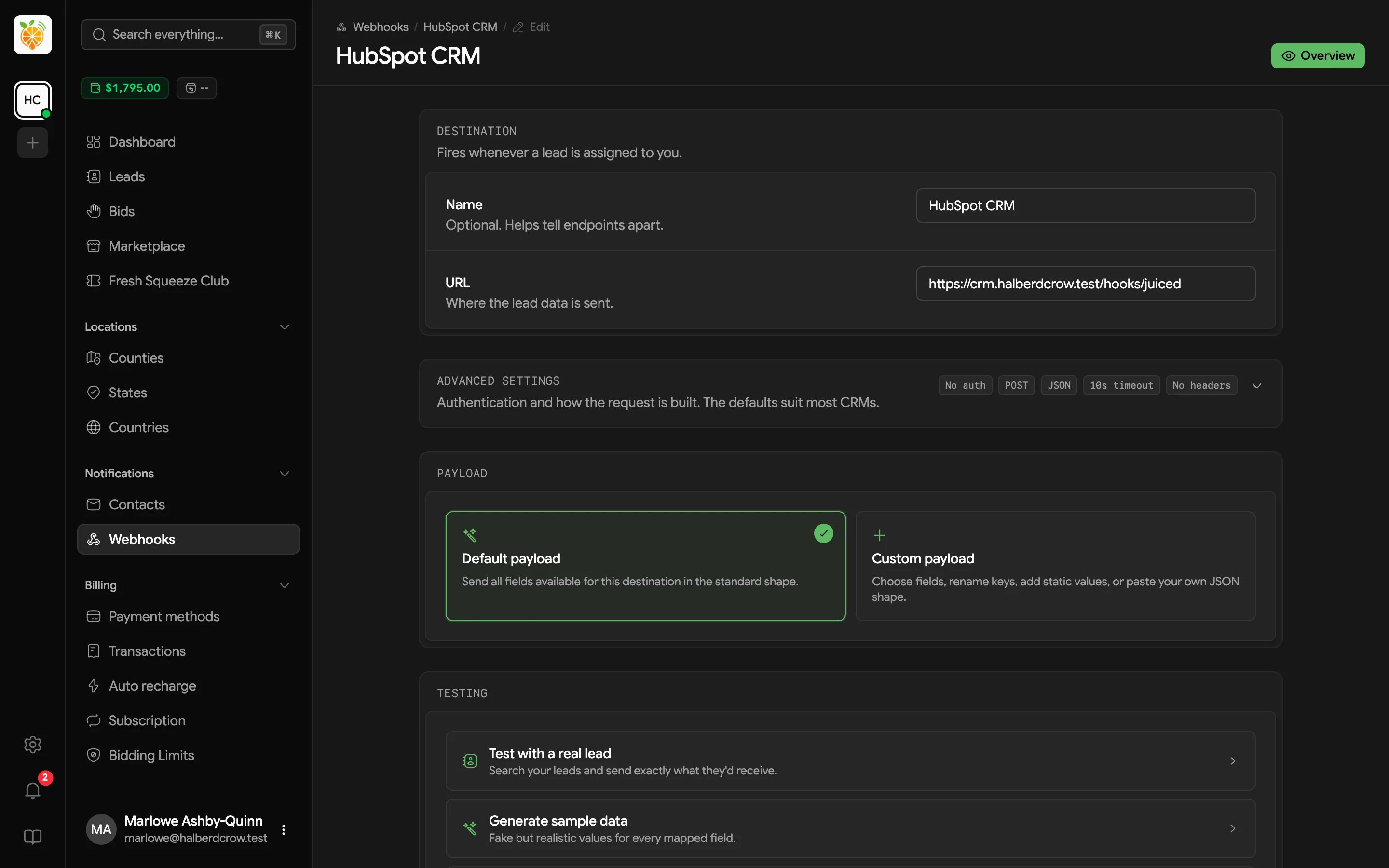
- Test with a real lead searches your leads by ID, name, email, or phone and sends exactly what that lead would send.
- Generate sample data fills every mapped field with fake but realistic values, which is handy before you’ve received any leads.
- Add test data manually lets you build the payload one field at a time.
Monitoring deliveries
Click a webhook in the table to open its overview.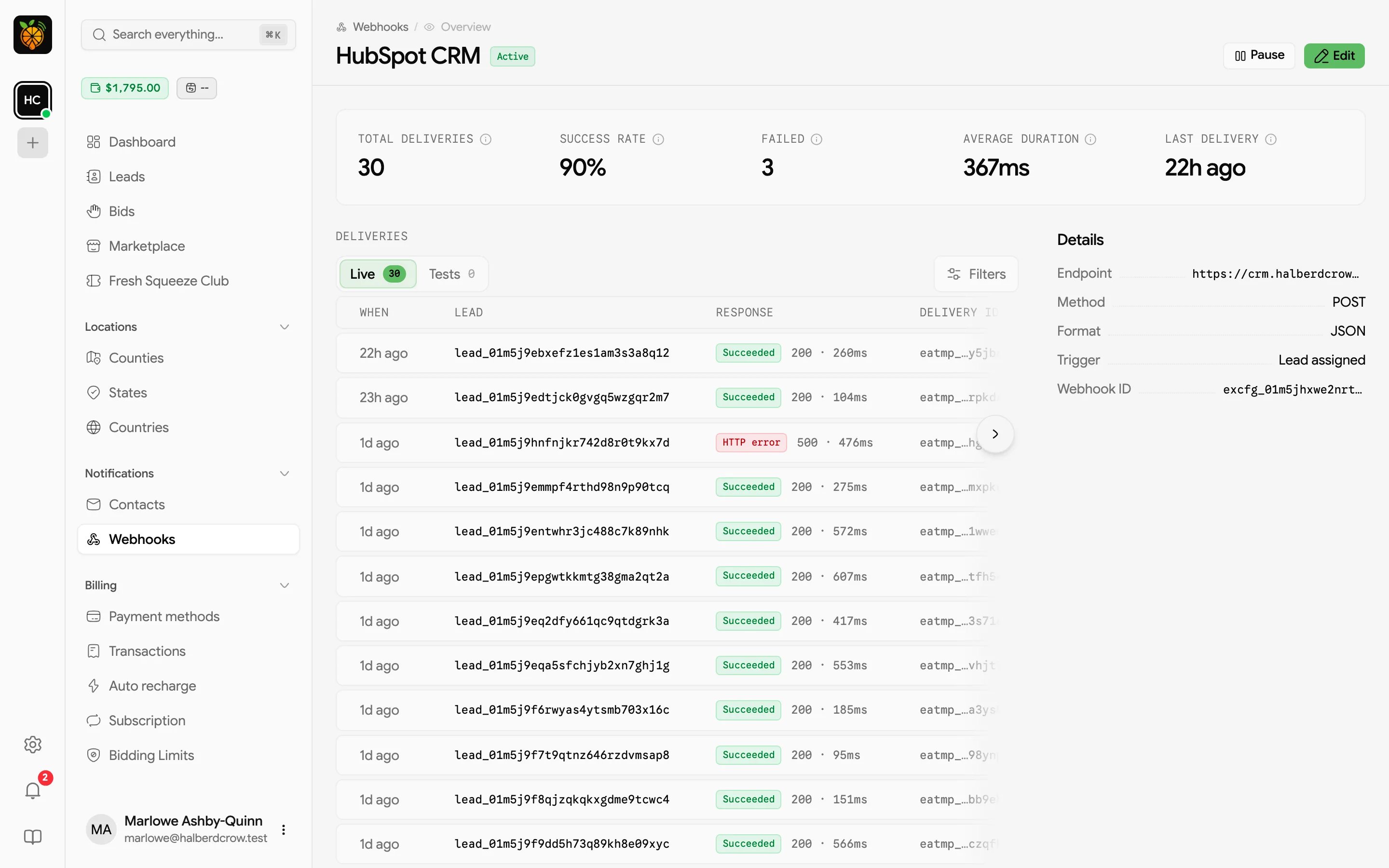
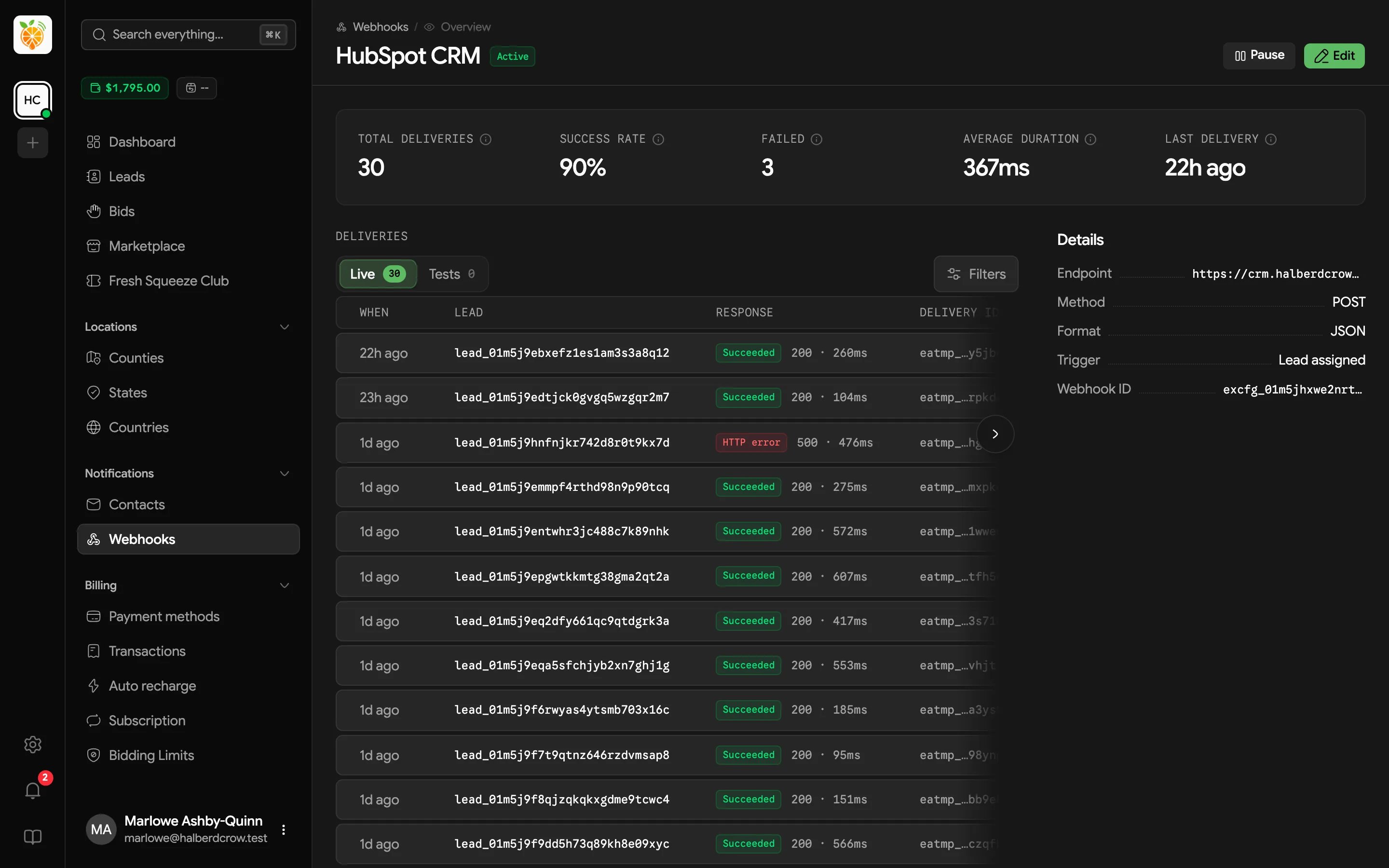
- Stats cover the last 30 days, with Total deliveries, Success rate, Failed, Average duration, and Last delivery.
- Deliveries lists every attempt, with Live and Tests tabs. Each row shows when it was sent, the lead, the result and response code with how long it took, and a delivery ID. Filter by Result or Delivery date, and click a row to see the full request and response, including headers and body.
- Details shows the endpoint, method, format, trigger (Lead assigned), and webhook ID.